/api/captcha/recognize
You run the hCaptcha session. We read the pictures.
Send a getcaptcha response (or just the images), get back the exact answer shape checkcaptcha expects. $1 per 1,000 solved challenges, charged only when an answer is returned.
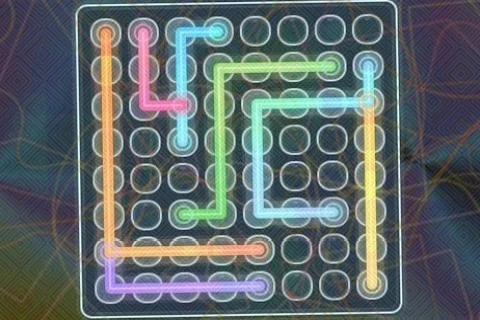

One call, one answer
The same shape hCaptcha's own checkcaptcha endpoint expects.
You keep the session, we read the pictures
Your code already holds the proof-of-work, motion data and checkcaptcha call. Send us the getcaptcha response (or just the pictures the screen shows), get back the exact answers checkcaptcha expects.
Pay only for an answer
$1 per 1,000 solved challenges, charged only when a usable answer comes back. A failed or unsupported challenge costs nothing.
Drop into what you already call
Already wired to CapSolver, YesCaptcha or NopeCha for image recognition? Point the base URL here and keep the rest of your integration as-is.
curl https://draxon.one/api/captcha/recognize \
  -H "X-API-Key: drx_..." -H "content-type: application/json" \
--data @getcaptcha.json{ "success": true, "id": "...", "job_mode": "image_label_area_select",
"answers": { "<task_key>": [{ "entity_name": 0, "entity_type": "default",
"entity_coords": [313, 204] }] } }Pricing
One rate, no plans, no minimum.
Charged only when a usable answer is returned. An unsupported challenge type, an empty balance, or a recognition
failure costs nothing — the error codes say which (402,
422, 503).
Or skip the integration
The browser extension calls this API for you, inside the browser.
Draxon Recognition extension
Spots the hCaptcha widget on any page, sends the pictures here, and clicks or drags the answer with human-like movement — no Chrome debugger bar, no code to write.
Questions people ask
Short, plain answers. The docs have every detail.
What does this API actually do?
It looks at hCaptcha challenge pictures and returns the same answer shape hCaptcha's own checkcaptcha endpoint expects: true/false per tile, click points, or a drag target. It does not talk to hCaptcha for you — your code keeps doing getcaptcha and checkcaptcha, this API only replaces the step where a human looks at the pictures.
How is this different from the Captcha solving API?
/captcha/v1/tasks solves the whole hCaptcha end to end — proof-of-work, motion, image answers, the token — from a website URL and a sitekey. This endpoint is the one piece inside that: image answers only, for a session you run yourself. Use it if you already have your own hCaptcha client and only need the pictures solved.
What if I don't have the getcaptcha JSON?
Send request_type, question, and the base64 image bytes directly (images for a grid, pieces with center coordinates for a drag challenge). No need to reconstruct hCaptcha's own response shape.
Do I need a browser at all?
No — the recognition API is a plain HTTP call from wherever your hCaptcha client runs. The browser extension below is a separate, optional way to skip writing a client entirely: it runs inside the browser and calls this same API for you.
What happens when the answer is wrong?
Report the outcome (POST /recognize/outcome) and we track an accepted rate for your account — it does not change what you were charged, and it helps route harder challenge types more accurately over time.
Start answering hCaptcha images today.
Make an account, add funds, create a key. An answer that doesn't come back costs nothing.